
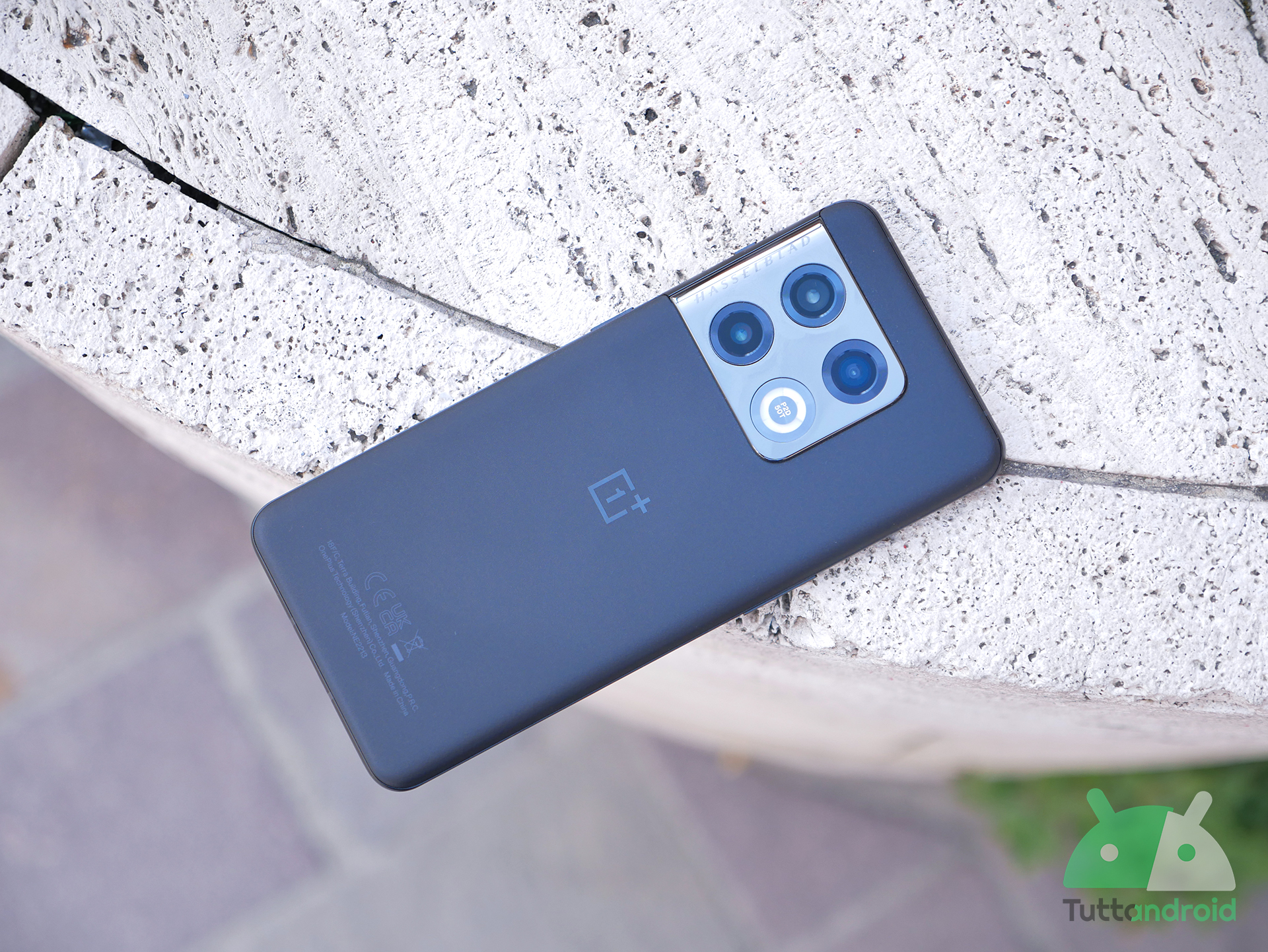
Ci sono smartphone, tablet e smartwatch coinvolti nei nuovi aggiornamenti in distribuzione in queste ore da parte di Samsung, OnePlus, OPPO e Xiaomi. In particolare, sono in arrivo novità per Samsung Galaxy Tab S10+, Galaxy Tab S10 Ultra, Galaxy Tab S8, Galaxy Tab S8+, Galaxy Tab S8 Ultra, Galaxy Tab A11+, Galaxy Tab A9+, Galaxy Tab S10 Lite, Galaxy Watch6, Galaxy Watch6 Classic, OnePlus 10 Pro, OPPO Find X5 Pro e POCO F6.
Andiamo a scoprire tutti i cambiamenti.
Indice:
- Novità aggiornamenti Samsung Galaxy Tab S10, Tab S8, Tab A11+, Tab A9+ e Tab S10 Lite
- Novità aggiornamenti Samsung Galaxy Watch6 e Watch6 Classic
- Novità aggiornamento OxygenOS 16 per OnePlus 10 Pro
- Novità aggiornamento ColorOS 16 per OPPO Find X5 Pro
- Novità aggiornamento HyperOS 3 per POCO F6
- Come aggiornare i dispositivi Samsung, OnePlus, OPPO e POCO
Segui TuttoAndroid su Google Discover
Novità aggiornamenti Samsung Galaxy Tab S10, Tab S8, Tab A11+, Tab A9+ e Tab S10 Lite
Iniziamo dai tablet Samsung, visto che in distribuzione ci sono aggiornamenti per ben otto modelli. Galaxy Tab S10+, Galaxy Tab S10 Ultra, Galaxy Tab S8, Galaxy Tab S8+ e Galaxy Tab S8 Ultra stanno ricevendo le patch di sicurezza di gennaio 2026 a partire dalla Corea del Sud, attraverso i firmware che terminano con CZA3 (serie Tab S10) e EZA3 (serie Tab S8).
Le ultime patch arrivano anche su Samsung Galaxy Tab A9+ (che segue a ruota l’update del fratello Galaxy Tab A9 che abbiamo segnalato nei giorni scorsi), Galaxy Tab A11+ e Galaxy Tab S10 Lite: in questi casi arrivano in Europa le versioni XXSAEZA1, XXU2AZA4 e XXS3BZA3 (rispettivamente).
Per tutti arriva dunque la correzione a più di 50 vulnerabilità in totale, come segnalato nel bollettino più recente pubblicato da Samsung: 21 toccano il sistema operativo Android in generale (CVE), di cui due di livello critico (sarebbero 23, ma le CVE-2025-47346 e CVE-2025-47395 non riguardano i prodotti Samsung); abbiamo poi 30 correzioni che riguardano più da vicino i dispositivi Samsung (SVE). Non tutte le vulnerabilità sono state divulgate per motivi di sicurezza.
Tutti e otto i tablet rientrano nella lista dei modelli che riceveranno la One UI 8.5, che in base alle anticipazioni e a quanto abbiamo visto sulla beta risulta piena di cambiamenti e perfezionamenti. Attualmente la nuova One UI è in beta sulla serie Galaxy S25: attesa da un momento all’altro la quarta versione di test, ma per la stabile dovremo aspettare le settimane successive al lancio della serie Galaxy S26.

Segui Samsung su Telegram, ricevi news e offerte per primo
Novità aggiornamenti Samsung Galaxy Watch6 e Watch6 Classic
Restiamo un attimo su Samsung perché sono in distribuzione aggiornamenti pure per Galaxy Watch6 e Galaxy Watch6 Classic. I due smartwatch stanno accogliendo le patch di sicurezza di gennaio 2026 a partire dai modelli cellular in Corea del Sud e negli Stati Uniti, con download di poco più di 150 MB: in base a quanto segnalato dall’operatore Verizon, negli Stati Uniti i firmware sono R935USQS1CZA2 (Watch6 40 mm), R945USQS1CZA2 (Watch6 44 mm), R955USQS1CZA2 (Watch6 Classic 43 mm) e R965USQS1CZA2 (Watch6 Classic 47 mm).
Oltre alle correzioni di sicurezza, è possibile che l’update vada a perfezionare l’aggiornamento alla One UI 8 Watch rilasciato a dicembre, attraverso bugfix e miglioramenti di stabilità. L’aggiornamento si allargherà a livello globale nel giro di qualche giorno.
Novità aggiornamento OxygenOS 16 per OnePlus 10 Pro
Importante aggiornamento un po’ a sorpresa per OnePlus 10 Pro: lo smartphone è uscito con Android 12 e avrebbe dovuto fermarsi ad Android 15 e OxygenOS 15, ma in queste ore è partita la distribuzione dell’update ad Android 16 e OxygenOS 16. Si parte anche questa volta dall’India, con la versione NE2211_16.0.3.500(EX01) e le sue tantissime novità.
Tra i principali cambiamenti possiamo citare le ottimizzazioni per l’interfaccia (animazioni più fluide ed elaborazione parallela con Trinity Engine), le maggiori possibilità di personalizzazione (nuovi stili e nuove opzioni), le nuove funzioni di intelligenza artificiale (meno complete rispetto ai modelli più recenti, vista ad esempio l’assenza di Mind Space) e il design rinnovato per le app e il sistema in generale.
Fast & Smooth
Parallel Processing
- System apps now display animations that begin and end at intuitive places, making interactions feel smoother.
- Introduces fluid drag-and-drop animations for Home screen icons, widgets, folders, and Smart Sidebar—delivering a natural, uninterrupted interaction experience.
- The text selection magnifier now fades in and out with fluid animations for a more natural experience.
- Adds seamless status bar transitions as you open the notification drawer or Quick Settings, with support for interrupting the gesture at any point.
- Enjoy a slicker visual experience with new, smooth animations for the audio playback controls in Quick Settings.
- Adds concurrent animation support for app starts and exits from the Home screen in button navigation mode, ensuring a more polished and uninterrupted flow..
- Refined exit animations for top-row apps on the Home screen provide smoother, more responsive control.
- The updated scrolling mechanics deliver a more connected feeling between your touch and the on-screen movement.
Trinity Engine
- Trinity Engine optimizes workload and resources on the fly, maintaining smooth performance across videos, gaming, and extended camera use.
- Enhances steady gaming performance through intelligent analysis and prioritization of key computational tasks. Concurrent operations like pop-up windows and video calls are managed via smart scheduling, reducing power drain while ensuring stability and smoothness.
- Photo albums now load faster and use less power when displaying thumbnails, improving overall battery life.
- Faster previews for cached videos and thumbnails in supported third-party apps.
- Power saving mode now features tiered performance management that adapts to battery level, ensuring longer endurance with smoother performance.
OnePlus AI, Intelligently Yours
AI-powered Photos
- New visual update for Photos brings an immersive, seamless browsing experience.
- Photo albums are now easier to navigate with clearer categories and personalized sorting for frequently used ones.
- Checking photo info is easier—just swipe up for details and where it’s stored.
- Discover a suite of new video editing features like splitting, merging, adjusting playback speed, transitions, and adding background music. Produce high-quality videos directly from your edits with ease.
- Key video editing features—such as crop, rotation, parameter adjustment, and filters—have been refined to deliver a more polished video editing experience.
- Create motion photo collages without losing quality and HDR effects of the photos, along with a selection of new templates for more personalized creations.
AI-powered Notes
- A new block editing mode lets you swipe left or right to select text, images, tables, or documents, enabling batch formatting and rapid repositioning more efficiently than ever.
- Touch and hold on images to switch between views, now with a side-by-side display for a smoother viewing experience.
- Share complete notes in one link, including text, images, audio, and videos.
- Introduces text highlighting: touch and hold to bold or change color, making it faster to emphasize key notes.
- New text formatting tools—switch fonts, apply wavy underlines, insert dividers, or highlight text—for more stylish and personalized notes.
AI Recorder
- Redesigns the Recorder app with a refreshed interface and more intuitive interactions.
- Adds the smart naming feature, which automatically generates titles for recordings based on their content, making them easier to find and identify.
- AI-driven noise cancellation enhances recordings by reducing background noise and highlighting human voices.
- Recording is smarter—contexts such as meetings, lectures, or interviews are auto-detected, with matching templates applied for better usability.
- Adds link sharing for recordings—send audio, transcript, and summaries all at once with one tap.
Uniquely Yours
Your Phone, Your Creative Playground
- The dynamic interplay between light and surroundings can now be captured by the innovative light field technology to deliver an authentic, immersive, and naturally beautiful visual experience.
- Subtle play of light and shadow enriches the overall look and tactile feel of the system.
- The Aurora visual effects bring a premium and refined look with upgraded particle effects, glow effects, ripple effects, and chromatic aberration.
- Enhances design elements like diagrams and illustrations for improved readability and style.
- Introduces the new system-wide serif font “One Serif”, optimized for immersive reading with a classic, elegant aesthetic.
- Adds immersive weather visuals rendered in real time using Luminous Rendering Engine and live weather data for lifelike atmospheric effects.
- Optimizes the design and feel of core system interfaces like the notification drawer, Quick Settings, Setup Wizard, and system upgrades for clearer information and a more refined look.
- Apps like Clock, Calculator, and Compass are redesigned with lifelike textures and lighting for a more engaging experience.
Flux Home screen
- New Home screen icons showcase lifelike visuals and intricate detail through light field styling.
- Enjoy a cleaner, more organized Home screen with optimized grid and layout—making icons, folders, and widgets look tidier than ever.
- Drag to resize icons and add app shortcuts for a more tailored Home screen.
- Large folder layouts get more variety. Hold to select 9-grid, 4-grid, or feature a bigger icon for the first app.
- Introduces an uncluttered Home screen design by removing text beneath icons.
- The Home screen edit mode interface has been refined, and you can rearrange the page order.
- The search bar in Drawer mode has been relocated to the Home screen bottom for improved accessibility
- Quickly find apps in Drawer mode by swiping the index bar.
- Drawer mode now organizes your apps into categories, making them easier to find.
- App suggestions in the Drawer are now more helpful, prioritizing the apps you use most often and those you’ve used recently.
- The Home screen, Lock screen & style page is now more structured and easier to navigate.
AI-powered Flux themes
- AI-enhanced flux themes highlight epic stills and vibrant moments
- Experience the Sublime Grandeur motion wallpapers: as clouds part, sunlight floods your Lock screen in dazzling hues.
- Introduces multiple sets of motion wallpapers, bringing your screen to life with dynamic, vivid scenes that unleash unconfined vitality.
- Adds a modular, real-time editing framework where changes appear instantly for greater freedom.
- A new option to set custom text on your Lock screen gives you more freedom for personal expression.
- The Lock screen now allows configuring lower-left and lower-right shortcuts for instant access.
- Adds support for flux theme icon styles that automatically adapt to your wallpaper colors for a cohesive look.
- Specially crafted Dark mode icon styles offer a more comfortable viewing experience and help protect your eyes.
Communication and interconnection
OnePlus Connect
- Device Connect settings are now grouped by device type and use case, simplifying navigation.
Smart Cars
- Enhances in-car Bluetooth pairing to provide a more seamless experience.
My Devices
- Adds My Devices in Quick Settings, letting you check and control all your linked devices in one place.
- Introduces My Devices widgets on the Home screen, allowing you to add widgets for individual devices or a comprehensive device overview for simpler management.
Network optimization
- Share your phone’s Wi-Fi connection with your tablet for seamless browsing.
- AI LinkBoost enhancements improve kernel scheduling, ensuring more reliable connectivity for widely used apps.
Attention to detail, everywhere
Notifications & Quick Settings
- Quick Settings now offers expanded customization: 2×1 tiles, plus removal, addition, and rearrangement of audio, brightness, volume, and My Devices modules.
- Streamlined notification design maximizes space usage and delivers a quicker browsing experience.
More details
- Play ringtones only in your earbuds when they’re connected, preventing sound from disturbing others in public.
- A dedicated page for AI settings has been added for you to manage all AI features.
- Adds Bosnian to the list of available system languages.
- Redesigns Smart Sidebar with refreshed visual styling, now supporting single/dual-column display.
- Faster, more flexible sharing with a redesigned panel, showing contacts and customizable app links.
- Banner notification interactions are now more streamlined, with apps opening in small windows instead of full view.
- Foreground and background activity times are now displayed on a redesigned battery page for accurate tracking.
- Upgrades data transfer speed and experience when migrating data from iOS to OnePlus devices.
Others
- Touch and hold any app icon on the Home screen to access options for locking or hiding it.
L’aggiornamento a OxygenOS 16 per OnePlus 10 Pro è partito dall’India e come Release Candidate: ci vorrà ancora qualche giorno per vederlo arrivare a livello globale.
Novità aggiornamento ColorOS 16 per OPPO Find X5 Pro
Aggiornamento un po’ a sorpresa anche per OPPO Find X5 Pro, smartphone che condivide alcuni punti con il OnePlus qui sopra: anche l’OPPO è stato lanciato nel 2022 con Android 12 e sarebbe dovuto arrivare fino ad Android 15, ma in queste ore arriva la segnalazione del rollout di Android 16 con ColorOS 16, a partire dall’Indonesia.
In distribuzione c’è la versione CPH2305_16.0.3.500(EX01): non abbiamo purtroppo un changelog specifico, ma sappiamo che la ColorOS 16 introduce in generale una grande quantità di novità. Non tutte potrebbero essere state integrate su questo modello, visto il qualche annetto sulle spalle.
Tra quelle di cui ha parlato OPPO in queste settimane possiamo citare il Luminous Rendering Engine, evoluzione del precedente sistema di rendering parallelo che porta miglioramenti nella reattività al tocco e nella stabilità dello scorrimento delle app di terze parti, oltre che animazioni e transizioni più fluide e coerenti. Il rinnovato Trinity Engine si affianca al Dynamic Frame Sync, un canale dedicato all’elaborazione delle animazioni che bilancia prestazioni e consumi energetici. Troviamo anche nuovi sfondi animati, che offrono ora un effetto di profondità potenziato grazie all’intelligenza artificiale, e l’Always-On Display è stato rinnovato con più funzionalità e un aspetto migliore.
ColorOS 16 integra in generale una nuova generazione di strumenti AI pensati per l’uso di tutti i giorni (come AI Mind Space e AI Mind Assistant), anche se alcuni potrebbero non arrivare su OPPO Find X5 Pro. Non manca l’integrazione di Google Gemini, affiancato a Gemini Live. L’assistente multimodale di Google consente agli utenti di interagire vocalmente o visivamente, discutendo i contenuti mostrati sullo schermo o confrontando prodotti. Sempre lato IA vengono in generale proposte funzioni come AI Portrait Glow (che regola automaticamente l’illuminazione dei ritratti per ottenere risultati equilibrati in diverse condizioni di luce), Master Cut (per modificare e esportare video in 4K), Motion Photo Collage (che combina scatti in movimento in collage dinamici dallo stile cinematografico), AI Recorder (per la trascrizione in tempo reale), AI Writer (trasforma appunti brevi in testi strutturati e può sintetizzare contenuti lunghi in mappe mentali o tabelle) e AI Assistant for Notes (che introduce un editing che consente di spostare e riorganizzare sezioni sfruttando le gesture).
Come detto, non tutti questi cambiamenti potrebbero essere proposti a bordo di questo modello nello specifico. L’aggiornamento è partito dall’Indonesia, ma nel giro di qualche giorno si allargherà a livello globale.
Novità aggiornamento HyperOS 3 per POCO F6
Giornata di major release, visto che anche POCO F6 sta ricevendo l’aggiornamento a HyperOS 3 con Android 16: si parte stavolta dall’India, con la versione 3.0.2.0.WNPINXM, che richiede un download molto corposo (oltre i 6 GB).
Come abbiamo visto in queste settimane, l’aggiornamento a HyperOS 3 introduce tantissimi cambiamenti, tra cui animazioni più fluide, risposta al tocco migliorata e ottimizzazioni varie riguardanti le prestazioni. Costituisce un’evoluzione del sistema operativo, pensata per unificare l’esperienza tra smartphone, tablet, pieghevoli e dispositivi IoT. Porta tantissimi cambiamenti a livello generale, tra funzioni di intelligenza artificiale integrate (per un’interazione più naturale) e perfezionamenti lato sicurezza.
Tra le principali novità possiamo citare HyperIsland, in grado di mostrare attività in tempo reale nella parte superiore dello schermo, nuovi stili per la schermata di blocco, un editor Galleria potenziato (con ulteriori strumenti IA per il ritocco delle immagini e l’organizzazione automatica, una maggiore integrazione con Google Gemini (per scrittura, ricerca, traduzione e non solo), la funzione Touch to Share (per la condivisione rapida di file e app tra dispositivi del marchio), funzioni di traduzione e scrittura assistita dall’intelligenza artificiale e non solo. Ora è inoltre possibile duplicare il contenuto dello schermo su un iPad, aprire più app contemporaneamente e regolarne le dimensioni delle finestre su un Mac, sbloccare lo smartphone tramite Touch ID, Face ID o la password tramite iPhone, iPad o Mac.
Non tutto potrebbe essere disponibile su POCO F6, visto che non parliamo dell’ultimo modello.
Come aggiornare i dispositivi Samsung, OnePlus, OPPO e POCO
Per verificare l’arrivo di aggiornamenti su Samsung Galaxy Tab S10+, Galaxy Tab S10 Ultra, Galaxy Tab S8, Galaxy Tab S8+, Galaxy Tab S8 Ultra, Galaxy Tab A11+, Galaxy Tab A9+ e Galaxy Tab S10 Lite potete passare dalle impostazioni di sistema. Più precisamente potete recarvi in “Impostazioni > Aggiornamento software > Scarica e installa“. In alternativa potete collegare il tablet al PC e utilizzare Smart Switch.
Su Samsung Galaxy Watch6 e Galaxy Watch6 Classic potete accedere all’app Galaxy Wearable dal vostro smartphone (accoppiato con lo smartwatch), seguire il percorso “Impostazioni orologio > Aggiornamento software orologio > Scarica e installa” e selezionare “Installa ora”.
Per controllare l’arrivo di novità su OnePlus 10 Pro, OPPO Find X5 Pro e POCO F6 potete passare sempre dalle impostazioni di sistema, seguendo i percorsi:
- OnePlus 10 Pro: “Impostazioni > Sistema > Aggiornamento software“;
- OPPO Find X5 Pro: “Impostazioni > Aggiornamento software“;
- POCO F6: “Impostazioni > Info di sistema > Scarica aggiornamento“.