
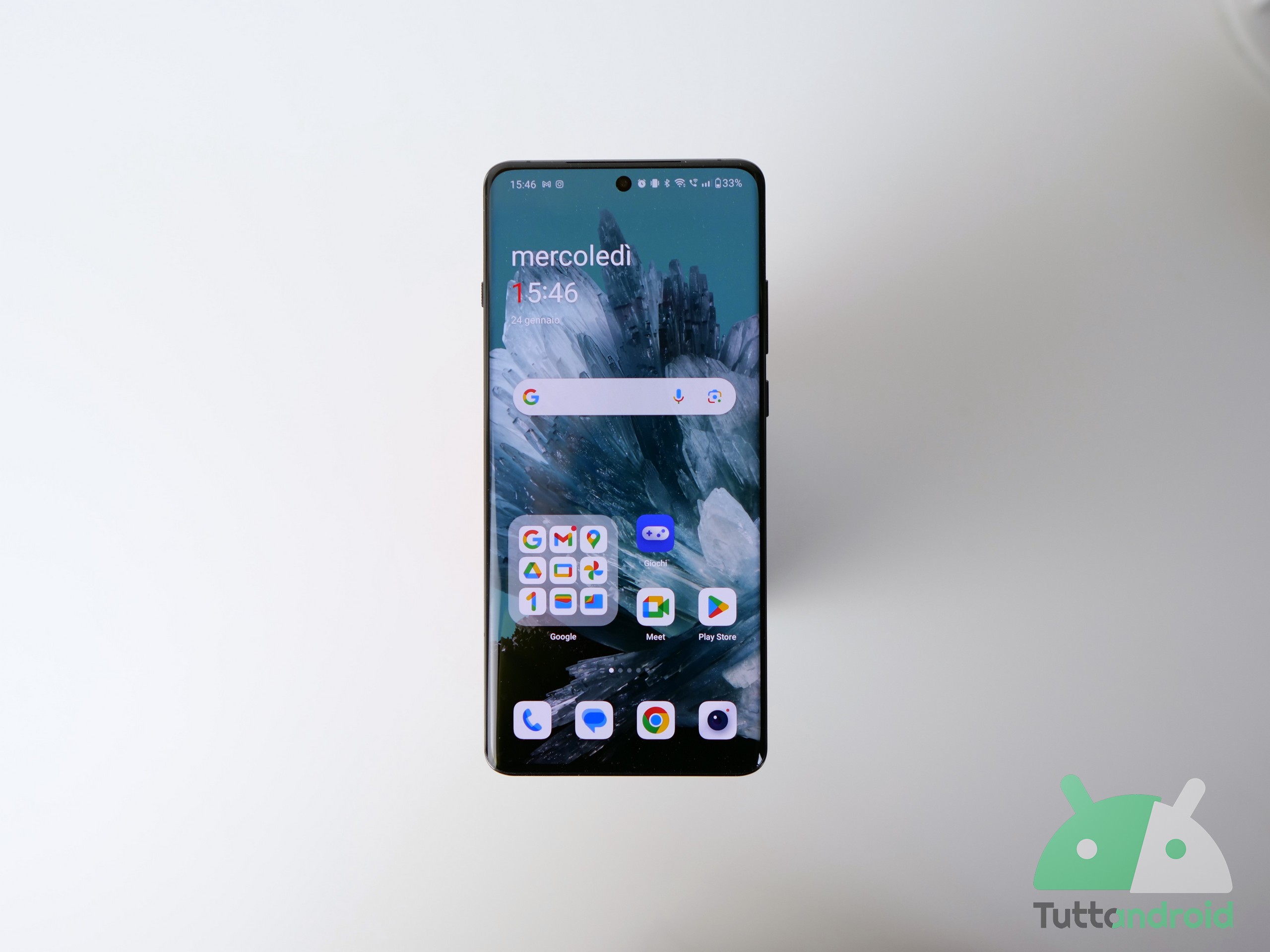
Negli ultimi giorni Android 15 sta iniziando ad allargarsi al di fuori dei Google Pixel (e dei primi Vivo, che hanno anticipato questi ultimi in alcuni mercati): dopo Xiaomi 14 (seppur senza HyperOS 2) e la Open Beta di Nothing OS 3.0 per Nothing Phone (2), ecco che la nuova release del robottino si fa vedere in versione stabile su OnePlus 12 (con OxygenOS 15) e su Vivo X Fold3 Pro (con Funtouch OS 15 nella variante internazionale). Andiamo a scoprire le novità in distribuzione.
Indice:
Segui TuttoAndroid su Google Discover
Novità aggiornamento Android 15 per OnePlus 12
OnePlus 12 sta ricevendo l’aggiornamento ad Android 15 con OxygenOS 15 in versione stabile, a distanza di pochi giorni dall’avvio del programma Open Beta. L’update è in rollout anche per la versione globale attraverso il firmware CPH2581_15.0.0.204(EX01) e richiede un download piuttosto pesante.
Come promesso durante la presentazione di OxygenOS 15, le novità dell’aggiornamento sono parecchie e spaziano un po’ per tutto il sistema. Troviamo miglioramenti per le animazioni attraverso il Parallel Processing (con animazioni di interruzione complete che consentono transizioni più fluide tra le applicazioni), nuovi effetti visivi, un design rinnovato (anche nelle icone), nuovi temi con maggiori possibilità di personalizzazione (anche su Always-On Display e schermata di blocco), nuove funzioni di editing fotografico, nuove gesture per le finestre flottanti, nuova modalità per la visualizzazione separata delle notifiche, la possibilità di impostare il limite dell’80% per la ricarica, nuovi widget per la schermata home, miglioramenti per il multitasking, passi avanti per Spazio nascosto e tanto altro.
Per quanto riguarda le funzionalità di intelligenza artificiale, OnePlus avvisa che risultano ancora in fase di test e che verranno gradualmente integrate nelle versioni future entro la fine del mese di novembre.
Animations
- A state-of-the-art system graphics engine now powers superior rendering and animation performance, driven by an advanced parallel processing that ensures smooth, uninterrupted visuals, even when multitasking or running resource-intensive applications.
- Parallel processing extends to elements like widgets, components, and folders, providing seamless transitions and smooth animations, even during frequent interruptions.
- System-wide swipe consistency is extended to third-party apps, including WebView interfaces, for a uniform scrolling experience across the entire system.
Visual effects
- The Home screen features a refreshed design with newly crafted icons, achieving a balanced look with enhanced proportions and vibrant colors for sharper, fuller visuals.
- Numerous system function icons have been updated to improve visual uniformity, creating a cohesive aesthetic throughout the system.
- The rounded corner design has also been refined to ensure uniformity, with smooth, continuous curvature applied across all elements.
Themes
- The new flux themes offer a broad selection of high-quality options, enabling customization with system wallpapers and personal photos for a uniquely personalized experience.
- Extensive customization features are available for the Always-On Display, Lock screen, and Home screen. Both flux and classic modes are supported for Always-On Display. The Lock screen supports clock color blending, glass textures, blurred wallpapers, AI depth effects, AI auto-fills, and more. Glass patterns, blurred wallpapers, and additional elements are available for the Home screen.
- Flux themes provide fluid and seamless transition animations across Always-On Display, Lock screen, and Home screen for enhanced visual consistency.
Fluid Cloud
- The updated Fluid Cloud enhances app compatibility, now supporting a wider range of overseas applications like Spotify, Swiggy, and Zomato. This enables real-time synchronization of information in various scenarios such as food ordering and music listening.
- The design focuses on efficient information visualization, positioned centrally for a balanced and streamlined display.
- Interaction with alerts allows capsules to expand into detailed cards with a tap, providing efficient access to multiple live activities by swiping in the status bar.
- The new animation system brings a fluid, elastic design with dynamic blurring effects in real-time, making card visuals smoother and more refined.
Photo editing
- The new globally reversible photo editing capability saves previous edit settings for seamless subsequent edits, ensuring uninterrupted creative flow.
Floating Window and Split View
- New Floating Window gestures: swipe down on a notification banner to open a floating window, swipe down again to enlarge it, swipe up to close it, and swipe sideways to hide it.
- Resizable Split View windows allow dragging the divider or tapping to expand the display area as needed.
Notifications & Quick Settings
- The new Split mode allows separate access to the notification drawer (top-left swipe) and Quick Settings (top-right swipe), with swipe left or right to switch.
- Quick Settings has been revamped for a more visually appealing layout, with smoother and refined animations.
Battery & charging
- The new “Charging limit” feature halts charging at 80%, helping to extend battery life and minimize degradation.
- The new battery protection reminder activates the Charging limit feature if the device remains charging for too long, enhancing battery protection.
Sounds & vibration
- Holo Audio is enhanced for online calls and meetings, delivering a richer and more immersive sound quality.
More
- Exclusive OxygenOS Always-On Displays and Lock screen clock styles are added for a unique visual experience.
- The new Home screen clock widget offers customizable resizing for added flexibility.
- The classic easter egg is added in the Calculator and will pop up when you input “1+=”, embodying OnePlus’s enduring “Never Settle” philosophy.
- New wallpapers are added to infuse your device with the signature OnePlus style.
- Exclusive app icon designed for OxygenOS are added, offering a fresh visual experience.
- A new Two-Tone theme color allows Quick Settings and the Settings app icon to be displayed in “Black,” highlighting OxygenOS’s iconic design.
- Enhanced Notes widgets offer improved aesthetics and functionality.
- The multitasking experience is optimized, automatically directing you to the last used app in the recent tasks view for smoother app switching.
- Drawer mode has also been refined to preserve your Home screen app layout upon first use.
Safety
- A unified hub for personal safety features brings together emergency calls, disaster alerts, security checks, and quick access to first aid information.
Privacy
- Private Safe now features categorized views for images, videos, and documents, simplifying data organization.
- A new Home screen shortcut for hidden apps provides quick access by tapping the folder and verifying your privacy password.
Wi-Fi
- The multi-network experience is optimized for seamless, efficient, and accurate transitions between networks.
La distribuzione dell’aggiornamento ad Android 15 via OTA è graduale, quindi non dovete avere fretta. In caso di problemi, resta sempre la possibilità di tornare alla versione precedente, anche se la procedura comporta la cancellazione di tutti i dati.
Novità aggiornamento Android 15 per Vivo X Fold3 Pro
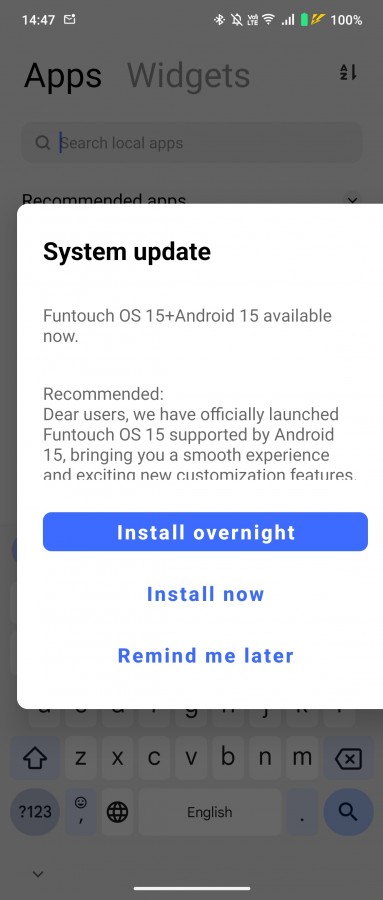
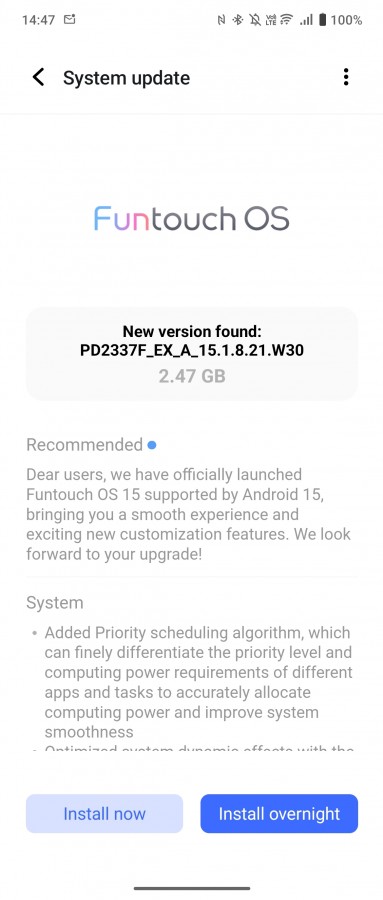
L’aggiornamento ad Android 15 di Vivo raggiunge anche la versione internazionale di Vivo X Fold3 Pro. Lo smartphone pieghevole sta accogliendo in queste ore la Funtouch OS 15 attraverso un download di quasi 2,5 GB.
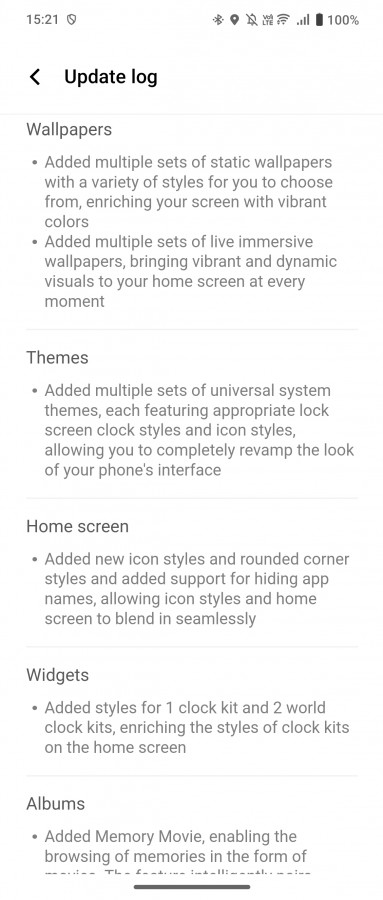
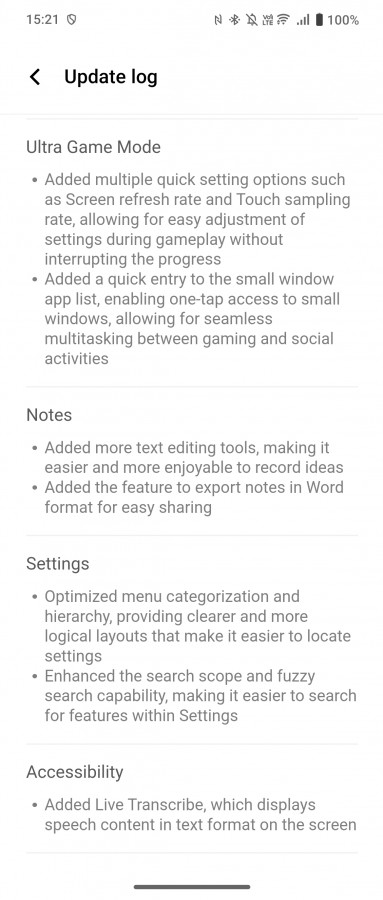
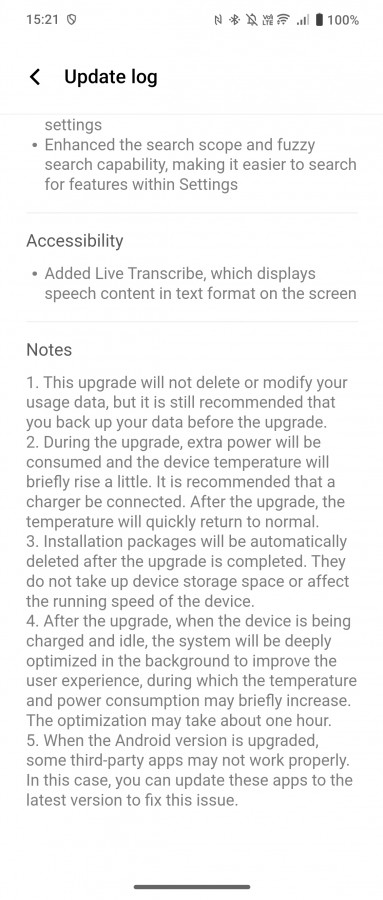
La versione in rollout è la PD2337F_EX_A_15.1.8.21.W30 e porta con sé un changelog piuttosto ricco, come prevedibile. Tra le novità più interessanti possiamo citare l’algoritmo di pianificazione che differenzia il livello di priorità e i requisiti di potenza di calcolo di app e attività, in modo da allocare accuratamente le risorse e migliorare la fluidità del sistema. Abbiamo poi nuovi sfondi, nuovi temi, nuovo stile per le icone e per alcuni elementi del sistema, nuove possibilità di personalizzazione (inclusa la facoltà di nascondere i nomi delle app), nuovi widget e stili per l’orologio, la funzione Memory Movie per sfogliare i ricordi come se fossero un filmato, la Ultra Game Mode, nuovi strumenti di modifica del testo nell’app Note (con la possibilità di esportarlo in formato Word) e non solo.
In più è stata integrata la funzione Cerchia e cerca con Google, che permette di approfondire quanto viene visualizzato sullo schermo attraverso ricerche su Internet, che si tratti di testo, immagini o persino della musica captata dal microfono. Questo il changelog integrale condiviso da GSMArena.
Come aggiornare OnePlus 12 e Vivo X Fold3 Pro
Per controllare l’arrivo di aggiornamenti via OTA per OnePlus 12 e Vivo X Fold3 Pro potete passare dalle impostazioni di sistema: più precisamente, per passare a OxygenOS 15 potete seguire il percorso “Impostazioni > Sistema > Aggiornamento software“, mentre per aggiornare a Funtouch OS potete seguire “Impostazioni > Aggiornamento di sistema“.
In caso di esito negativo potete riprovare tra qualche ora o giorno.