
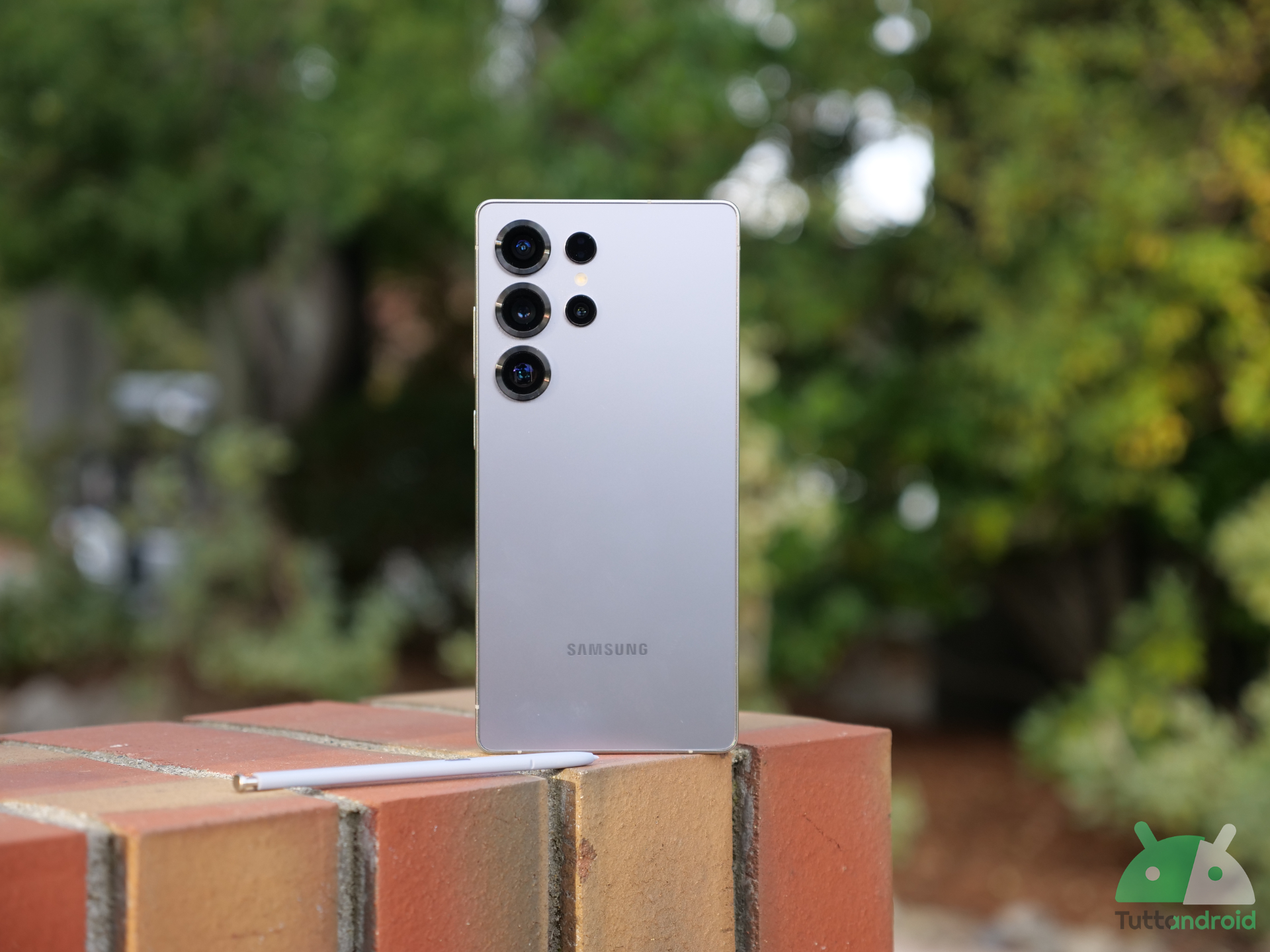
Sembra proprio che Samsung abbia ora messo il turbo per quanto riguarda l’aggiornamento ad Android 17. Dopo la One UI 9 Beta 8 per i Galaxy S26 (terza beta nel giro di una sola settimana), quest’oggi tocca finalmente a Samsung Galaxy S25, Galaxy S25+, Galaxy S25 Ultra e Galaxy S25 FE: i tre flagship 2025 stanno accogliendo la One UI 9 Beta 1. Andiamo a scoprire tutte le novità incluse nel changelog.
Segui TuttoAndroid su Google Discover
Novità aggiornamento One UI 9 Beta 1 per Samsung Galaxy S25, S25+, S25 Ultra e S25 FE
Dopo le avvisaglie delle scorse settimane, arriva finalmente la One UI 9 Beta 1 per Samsung Galaxy S25, Galaxy S25+, Galaxy S25 Ultra e Galaxy S25 FE. Per gli aderenti al programma di test sono in rollout i firmware S93*NKSUCZZHL (Corea del Sud) e S93*BXXUCZZHL (India), che richiedono download fino a quasi 4 GB. Come sempre, non è possibile aderire al programma in Italia, perlomeno non ufficialmente.
Il changelog completo diffuso da Samsung è il seguente:
More customizable quick panel
You can now rearrange and customize the controls in your quick panel even more than before. You can change the size of the brightness and volume sliders as well as the media player. You can also separate the sound mode button from the volume slider.
Samsung DeX enhancements
It’s easier to move an app window from one desktop to another using the menu at the top of the window. Desktop previews are now available at the top of the Recents screen, making it easier to switch with a single tap.
Do more with notes
The new Tape feature in Samsung Notes lets you cover parts of your note with tape and reveal them when needed. A variety of new pen styles have also been added, giving you even more options for writing and drawing.
Location access transparency
Stay on top of your location privacy. A blue indicator will appear at the top of the screen when an app accesses your location. Tap the indicator in the quick panel to see which app it is
Discover new Accessibility features
Check the What’s new menu in Accessibility settings to learn about and try the latest Accessibility features for your Galaxy.
Text spotlight for easier reading
Need a closer look? Tap any text on the screen to show it enlarged and highlighted in its own window. You can also customize the font size, colors, and other settings to match your preferences.
Physical keyboard shortcuts
Use shortcuts on your physical keyboard to access the Accessibility settings you need without touching the screen.
Mouse keys enhancements
New options are available when using your keyboard for mouse interactions including speed and acceleration control. You can also use the keyboard’s number pad to point and click.
Replace swipe with single tap
The Replace swipe with single tap option is now located on the Dexterity and interaction menu instead of the Assistant menu for easier access.
Select to speak
Get quick audio readouts without turning on full TalkBack. With the new Select to speak feature, you can select an item on your screen, like text or an image, and hear it read or described out loud.
Improved TalkBack updates
Through continuous collaboration, Samsung and Google’s TalkBack features have been unified. TalkBack updates can now be applied with a simple app update from the Play Store.
Abbiamo dunque un pannello rapido riorganizzato e ancora più personalizzabile, miglioramenti per Samsung DeX, una nuova funzione per Samsung Notes (che permette di coprire alcune parti delle note e di rivelarle quando necessario), una maggiore trasparenza lato privacy, novità per ingrandimenti dello schermo, caratteri e colori, scorciatoie da tastiera per le impostazioni di accessibilità, nuove opzioni per interagire con il mouse tramite tastiera, una rinnovata funzione per selezionare un elemento sullo schermo e ascoltarne la lettura o la descrizione ad alta voce, miglioramenti per TalkBack e non solo.
Siamo certi che nei prossimi giorni spunteranno ulteriori cambiamenti, non appena avremo tutti modo di approfondire i firmware in distribuzione. Per le novità Galaxy AI è ancora presto: anche con la serie Galaxy S26 sono state aggiunte nelle ultime fasi del programma beta.
Per Galaxy S25, Galaxy S25+ e Galaxy S25 Ultra la One UI 9 costituisce il secondo major update, mentre per Galaxy S25 FE si tratta del primo (essendo uscito con Android 16 e One UI 8). Il programma beta dovrebbe risultare più breve di quello di Galaxy S26 (partito a maggio e forse alle battute finali proprio in questo mese di settembre), ma non possiamo ancora fare previsioni sul rilascio della stabile.

Segui Samsung su Telegram, ricevi news e offerte per primo
Come aggiornare la serie Galaxy S25 alla One UI 9 Beta 1
Come avvenuto per la serie Galaxy S26, la One UI 9.0 beta non è disponibile ufficialmente in Italia nemmeno per la serie Galaxy S25. Esiste comunque un metodo per installarla manualmente, ma se non siete esperti vi consigliamo di non avventurarvici. Se ci seguite da uno dei Paesi coinvolti nei test, potete aderire alla beta passando dall’app Samsung Members e installare l’aggiornamento esattamente come gli altri: basta andare in “Impostazioni > Aggiornamento software > Cerca aggiornamenti”.