
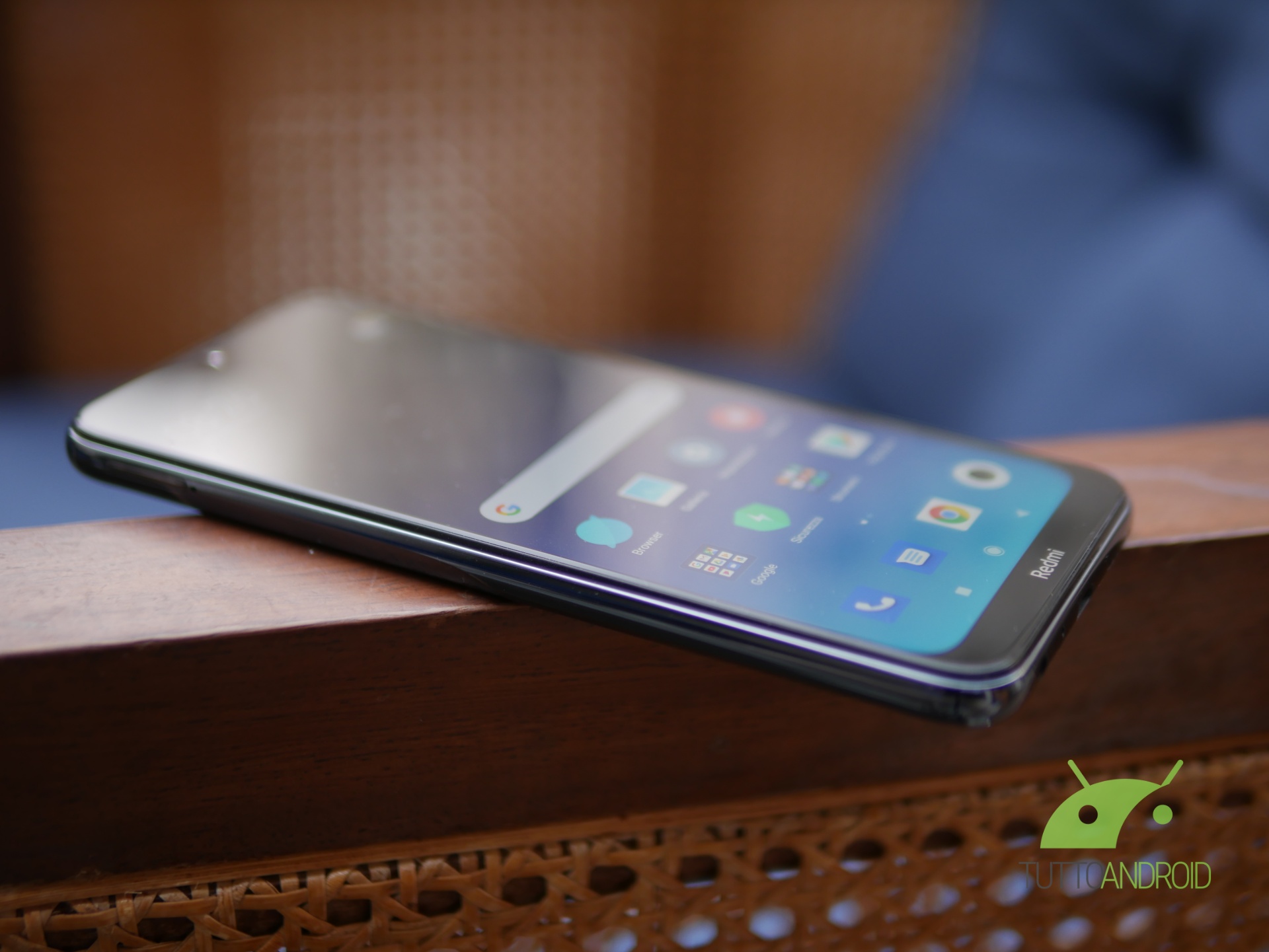
Redmi Note 8 si aggiorna alla MIUI 12 in versione stabile in Italia: dopo i primi avvistamenti e l’arrivo in Europa, finalmente tocca anche agli utenti italiani accogliere l’ultima major release del software dell’azienda cinese.
Segui TuttoAndroid su Google Discover
Novità aggiornamento MIUI 12 per Redmi Note 8
L’attesa è stata lunga, ma alla fine c’è stato il lieto fine: Redmi Note 8 si aggiorna alla MIUI 12 in Italia su base Android 10, che porta le tante novità della release viste con gli altri modelli e le patch di sicurezza di settembre 2020. L’aggiornamento, in roll out tramite OTA, pesa circa 800 MB, è siglato 12.0.1 (QCOMIXM) e recita il seguente changelog:
- System animations
- New: All-new physically based animation engine with advanced architecture will refresh your device’s look.
- New: Dynamic window technology takes switching screen orientation to a new level.
- System visuals
- Brand new visual design works for all types of content and languages.
- Magazine-level layouts bring important things into the spotlight and make content structure clear.
- Privacy protection
- New: MIUI 12 is the first Android-based mobile OS that went through the rigorous enhanced privacy protection testing.
- New: Reset your device ID and control how it’s used based on virtual ID technology.
- New: Grant permissions that will be used only while you’re using an app.
- New: You can also grant permissions just once, and decide again next time a permission is required.
- New: Restrict access to telephony to third party apps.
- New: Return blank messages to the apps that require personal information.
- New: Receive notifications whenever apps record audio, use camera, or access your location.
- New: Use secure sharing to control what additional data is sent along with shared items.
- New: Get comprehensive stats on how apps use permissions in app behavior history.
- New: Visit privacy.miui.com to learn how MIUI protects your privacy. Optimization: Apps aren’t allowed to launch other apps in the background now.
- AI Call Assistant
- New: Mi AI can answer your calls now!
- New: You can record a customized greeting that will be played to the other person during AI calls.
- New: Customized greetings are also supported for outgoing calls.
- Xiaomi Health
- New: All-new Xiaomi Health gives you more options and makes your health stats more accurate.
- New: Put your device next to you before falling asleep to analyze your sleep cycle and record talking and snoring.
- New: You can sync data with supported wearable and smart home devices.
- New: Xiaomi Health can remind you to stand up and move when it detects that you’ve been sitting down for too long.
- New: The app also analyzes your stats and gives you simple health advice.
- Control center
- New: Swipe down from the upper right corner of your screen to open Control center.
- New: Animated icons are a joy to look at!
- Accessibility
- New: Mi Ditto combines dictation and speech output, making mobile devices more convenient for people who have difficulties using conventionally designed smartphones.
- Trips
- New: Traffic and suggested routes to airports and train stations.
- New: You can track your previous trips now.
- New: Checklists for trips.
- New: Alarms for train arrivals.
- Mi Carrier Services
- New: View your SIM balance and mobile data usage stats.
- New: Save frequently used phone numbers to top up balance and buy mobile data later.
- New: Buy SIM cards and services.
- Messaging
- New: Promotional messages are grouped according to their content now.
- Status bar, Notification shade
- New: All-new design.
- Weather
- New: New animations bring the weather from outside directly to your screen.
- Settings
- New: Security introduces new comprehensive privacy protection mechanisms.
- New: Lite mode simplifies your device and brings essential features upfront.
- File Manager
- New: Use the floating shortcut to filter and sort items, as well as switch view.
- Calendar
- New: New layout tailored for landscape orientation is available now.
- New: We added lots of fresh animations that will accompany your actions.
- New: Calendar cards will remind you about important events and anniversaries.
- Notes
- New: You can create folders with notes now.
- New: New dynamic backgrounds look gorgeous!
- New: Tasks are completed with a satisfying animation now.
- New: Checklists of subtasks make managing your agenda much simpler.
- Security
- New: New animations feel natural and refreshing.
- New: Keep your home safe with smart home device alerts.
- New: Binging your favorite shows will be more convenient with our new video toolbox.
- Xiaomi Cloud
- New: Shared family storage plan is available now.
Lo smartphone, uno dei più popolari degli ultimi anni e che ha di fatto “lanciato” il successo del brand a livello globale, è ancora nelle mani di tantissimi utenti: tutti saranno felici di accogliere l’aggiornamento alla MIUI 12 attualmente in distribuzione. Niente Android 11 per ora, ma questo non significa che non ci siano tante novità.

Come aggiornare Redmi Note 8 alla MIUI 12
Il rollout della MIUI 12 stabile per la versione globale di Redmi Note 8 è partito anche in Italia: per aggiornare il vostro smartphone all’ultima build disponibile potete recarvi nelle impostazioni di sistema seguendo il percorso “Impostazioni > Info sistema > Aggiornamenti di sistema“.
Il dispositivo dovrebbe essere in grado di trovare l’update, ma in caso negativo non dovete fare altro che attendere qualche ora e riprovare. Allora, siete contenti dell’arrivo dell’aggiornamento alla MIUI 12 per il vostro Redmi Note 8? Fatecelo sapere nel solito box qui di seguito.