
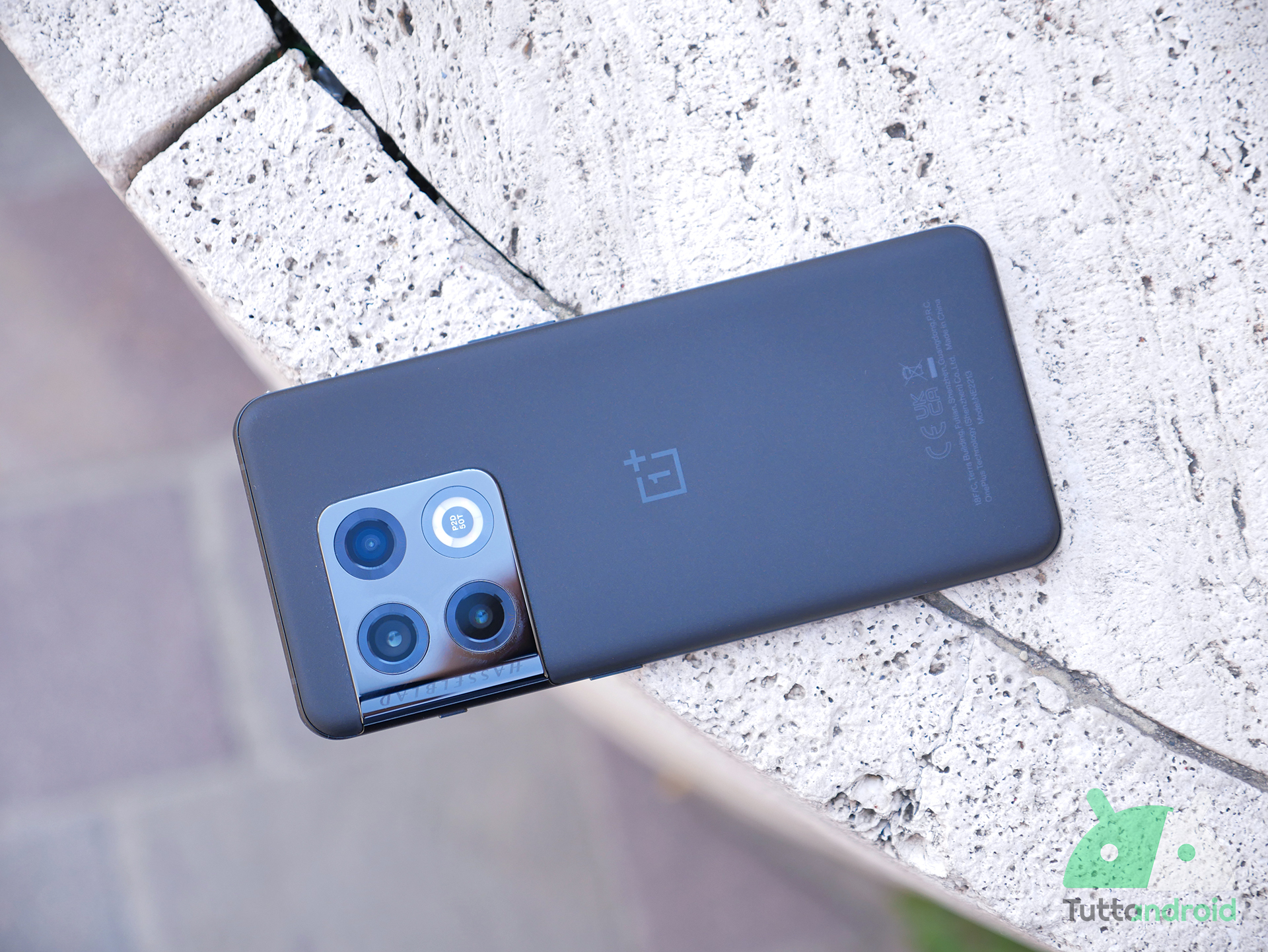
Nuovi aggiornamenti in distribuzione in queste ore per gli smartphone del robottino. Samsung prosegue con il rilascio delle patch di sicurezza di agosto 2022 e coinvolge due smartphone di fascia media, ossia Galaxy A52 e Galaxy A53, mentre OnePlus 10 Pro accoglie una seconda beta di Android 13, la prima installabile in Europa.
Segui TuttoAndroid su Google Discover

Offerte Amazon Prime Day, scopri quando!
Iscrivi ad Amazon Prime per poter approfittare delle offerte Prime Day, i primi 30 giorni sono gratis!
Novità aggiornamenti Samsung Galaxy A52 e Samsung Galaxy A53
Iniziamo dal canale stabile perché Samsung Galaxy A52 e Samsung Galaxy A53 stanno iniziando a ricevere un nuovo aggiornamento software con le patch di sicurezza di agosto 2022. Queste ultime arrivano rispettivamente con i firmware A525FXXU4BVG2 e A536EXXU3AVGA, in distribuzione a partire dalla Russia.
Le novità dell’update per i due smartphone di fascia media non sono molte e ci concentrano perlopiù sulla sicurezza. Come indicato dal produttore nel suo consueto bollettino, le ultime patch vanno a risolvere diverse vulnerabilità scovate in questi mesi all’interno del sistema operativo e che riguardano direttamente Android o la One UI: tra queste quelle che toccano gli indirizzi MAC attraverso Wi-Fi e Bluetooth, Samsung DeX e Knox. Tra le altre novità abbiamo miglioramenti generali alla stabilità del sistema e la soluzione ad alcuni bug non specificati.
Per maggiori novità a livello di funzionalità dovremo attendere l’uscita della One UI 5.0 basata su Android 13. Come abbiamo visto, Google ha rilasciato la versione stabile del suo nuovo sistema operativo per i Pixel nella serata di ieri, dunque dovremmo iniziare a vedere la nuova personalizzazione Samsung entro qualche mese al massimo (la fase beta è già partita).
Novità aggiornamento OnePlus 10 Pro
Discorso diverso per OnePlus 10 Pro, che sta ricevendo un nuovo aggiornamento riservato a coloro che hanno aderito al programma di test (o desiderano farlo). La casa cinese ha lanciato la fase beta di Android 13 la scorsa settimana, e oggi è già arrivato il momento di accogliere la OxygenOS 13 Beta 2. Per gli utenti europei si tratta di fatto della prima beta, dato che la Beta 1 risultava disponibile solamente in Nord America e in India.
Il changelog ufficiale è piuttosto lungo e cita la soluzione a diversi problemi, come è normale che sia per un programma di test:
[Aquamorphic Design]
- Adds Aquamorphic Design theme colors for enhanced visual comfort.
- Applies the Aquamorphic Design philosophy to animations to make them natural and vivid.
- Adds a Home screen world clock widget to show the time in different time zones.
- Upgrades to Quantum Animation Engine 4.0, with a new behavior recognition feature, which recognizes complex gestures and provides optimized interactions.
- Applies real-world physical motions to animations to make them look more natural and intuitive.
- Optimizes fonts for better readability.
- Enriches and optimizes illustrations for features by incorporating multicultural and inclusive elements.
[efficienza]
- Adds Meeting Assistant to enhance the meeting connection and introduces an option to make notifications more subtle and less distracting.
- Adds large folders to the Home screen. You can now open an app in an enlarged folder with just one tap and turn pages in the folder with a swipe.
- Adds media playback control, and optimizes the Quick Settings experience.
- Adds more markup tools for screenshot editing.
- Optimizes Shelf. Swiping down on the Home screen will bring up the Shelf by default. You can search content online and on your device.
[interconnessione]
- Optimizes earphone connectivity to deliver a more seamless experience.
[personalizzazione]
- Optimizes Bitmoji to offer more Always-On Display animations.
- Optimizes Insight Always-On Display, with more personalized Always-On Display settings available.
- Optimizes Canvas Always-On Display, with more drawing tools and line colors available.
[privacy e sicurezza]
- Adds an automatic pixelation feature for screenshots of chats. The system can identify and automatically pixelate profile pictures and display names in a chat screenshot to protect your privacy.
- Adds regular clearing of clipboard data for privacy protection.
- Optimizes Private Safe. The Advanced Encryption Standard (AES) is used to encrypt all files for enhanced security of private files.
[Health & Digital wellbeing]
- Adds Kid Space, providing screen time limit, ambient light reminders, and Eye-protecting display features.
[performance]
- Adds Dynamic Computing Engine to improve the system speed, stability, battery life, and app experience.
- Optimizes Dolby Sound effects with enhanced spatial sound field perception and more accurate sound sourcing.
[gaming]
- Upgrades to HyperBoost GPA 4.0 to stabilize the frame rate and balance the performance and power consumption in key scenarios.
[sistema]
- Improves system stability for some scenarios.
- Fixes an issue where icons would sometimes overlap in Quick Settings.
- Fixes an issue where a panel might be automatically pulled down from the status bar in some cases.
- Fixes an issue that might cause auto brightness to respond slowly.
- Fixes an occasional flicker issue that might occur when your device screen is turned off or on.
- Fixes an issue where the Quick Settings background might appear transparent.
- Fixes an issue where you might be unable to wake your screen by double-tapping it in Guest mode.
- Fixes an issue where your screen might be slow to wake when the Power button is pressed.
- Fixes an issue where the “Other” category might take up a huge portion of your device storage.
[fotocamera]
- Fixes an issue where the Camera would lag
Sul forum ufficiale vengono anche riportati i problemi noti e non ancora risolti. Per consultarli non vi resta che seguire il link più in basso, che include anche le istruzioni e i file da scaricare.
Come aggiornare Samsung Galaxy A52, Galaxy A53 e OnePlus 10 Pro
Per aggiornare Samsung Galaxy A52 e Galaxy A53 basta recarsi all’interno delle impostazioni di sistema, seguendo il percorso “Impostazioni > Aggiornamenti software > Scarica e installa“. Un po’ più complicata la questione relativa a OnePlus 10 Pro: per provare Android 13 è necessario aderire al programma beta e installare manualmente l’update seguendo le istruzioni riportate sul forum ufficiale.
Leggi anche: Recensione OnePlus 10 Pro