

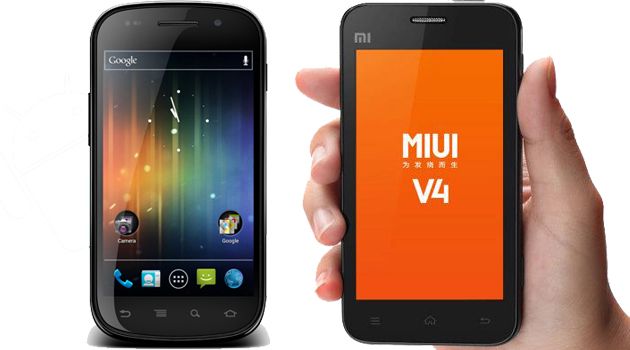
MIUI 4.0, la rom del team di sviluppatori cinesi basata su Android Ice Cream Sandwich, è arrivata in versione stabile anche per il Samsung Galaxy Nexus. Solamente ieri infatti vi avevamo segnalato tale firmware per il Samsung Galaxy S 2 e sembra che piano piano il supporto si stia allargando.
Vediamo la situazione di cosa funziona e cosa no:
What works:
- Calls
- Call audio in and out
- Data works confirmed 3G and 4G work and are being displayed and registered properly!!
- Internal storage
- External storage (Mounting as MTP to a pc all operating systems and now with Linux it should display every folder as before on Linux it showed only DCIM and Pictures)
- SMS messages work!!!!
- MMS messages work!!!!
- ADB works
- ADB remount
- WiFi (Fix from sonicxml!! Thank you little dude for hitting me up!!)
- Softkeys (Now cooked in)
- Superuser (Superuser is fixed again in this build!!)
- Camera
- Bluetooth
- GPS (Works perfect and locks immediately)
- Market (Any problems with market right after you flash and it says error reboot the phone once and it will be fine)
- Video Playback (Sketchy)
- USB Tether
- WiFi Tether (Possibly broke but usb def works)
- No more squishy dialer!! (Thanks to Nazgul)
- Creating folders
- Adding apps to folders
- Resizing Widgets
- Contacts (Fixed up no more force closes thanks to Nazgul!)
- Video Recording (Officially working)
- Video Playback (Officially working and reports it plays 1080P videos!!)
- Netflix
- Google Videos
- All apps resized to proper MIUI size now (Big thanks to Sonic my right hand man!!)
What’s broke:
- Themes (This is because we need themers to start making themes for our device) – to get themes somewhat working create a folder named “theme” (no quotation marks) in /data/system using something like root explorer. Then you can apply themes. If you get giant softkeys over your whole screen, do a battery pull, restart, and you should be good to go.
Downloads:
- Download Diretto: developer.clockworkmod.com
- Link to site: droidvicious.com
[Via – Grazie per le segnalazioni]